
IPTV FREE TRIAL TEST BEFORE YOU PAY PLAYER READY

4K Live IPTV Free Trial Test IPTV Channels Before Paying 24h Trial Access

Start from $2.99 - credited when you upgrade

Try live TV, sport, VOD and IPTV player setup before choosing a full 4K Live IPTV subscription.

24h IPTV trial access Live channels, sport and VOD Works with popular IPTV players
Trial Access

What You Can Test With 4K Live IPTV Free Trial

Use the trial to check live channels, VOD, sports streams, IPTV-4K quality, device setup, and app compatibility before choosing a full subscription.

Live IPTV Channels to Test

Preview the channels, sports and entertainment you actually watch before moving to a full IPTV subscription.

4K, HD and App Stability Check

Test picture quality, playlist loading and app response during your normal viewing hours.

IPTV 24h Free Trial Window

Use the IPTV 24h Free Trial to check VOD, EPG data, M3U or Xtream Codes setup and device fit.

Upgrade After You Compare

When the trial works well on your screen, continue with a paid 4K Live IPTV plan that matches your needs.

How the 4K Live IPTV Trial Works

Choose trial access, load your details into an IPTV player, test real viewing conditions and upgrade when ready.

1

Choose the Trial Option

Select the trial offer and complete the activation or checkout step shown on the page.

2

Add Your Access Details

Enter the provided login, M3U or Xtream Codes details in a compatible IPTV player.

3

Watch, Compare and Upgrade

Test live channels, movies, series, sports and VOD, then upgrade to a paid subscription if the trial fits.

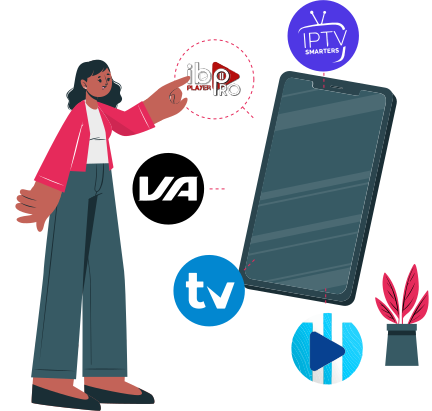
Easy IPTV setup and subscription process for free trial activation
IPTV player compatibility with TiviMate, Smarters Pro, and Smart IPTV

IPTV Players for Your Free Trial

Use the Free Trial IPTV 4K Live access with Smart IPTV, TiviMate, IPTV Smarters Pro or another compatible IPTV player. M3U and Xtream Codes are supported where your app accepts them; follow the Setup IPTV Guide Installation for device help.

Smart IPTV for Smart TV trial setup
TiviMate for Firestick and Android TV testing
IPTV Smarters Pro with Xtream Codes login
M3U playlist setup for supported IPTV apps

Simple Checkout for IPTV Trial Access

Start the IPTV Service Free Trial or upgrade through a clear checkout flow that shows available methods and terms before access is prepared.
Card payment available when listed at checkout
PayPal appears only where it is supported
Crypto is accepted only when checkout offers it
Trial credit may apply on eligible subscription upgrades
Secure IPTV payment checkout with credit card and PayPal
Trial FAQ Guide

4K Live IPTV Trial FAQ
Free Trial Questions Answered

What is a 4K Live IPTV Free Trial?

+

A 4K Live IPTV Free Trial lets you test IPTV channels, sports, movies, series, VOD and player setup before choosing a paid IPTV subscription.

Trial access before subscription

Use the trial to compare stream quality, app compatibility and playlist loading on your own device and internet connection.

Why buyers compare first

A Free Trial IPTV Service is useful when you want to check the service experience before paying for longer access.

What can I watch during the IPTV trial?

+

During the IPTV trial, you can check live IPTV channels, sports, VOD, movies, series, EPG loading and 4K/HD playback where available.

Free trial vs paid IPTV

Test during the hours you normally watch so channel switching, picture quality and buffering feel realistic.

Live TV, sport and VOD

If the channel list or VOD library does not load as expected, confirm that your IPTV player uses the correct login format.

How do I start and install the IPTV free trial?

+

Choose the trial option, receive your access details, install a supported IPTV player, and follow Setup IPTV Guide Installation for Firestick, Roku, Smart TV and mobile setup.

How to judge stream quality

Smart IPTV, TiviMate and IPTV Smarters Pro may use different setup flows for M3U or Xtream Codes.

Playlist and VOD loading

Keep your welcome details available so your player can load the playlist, guide and VOD sections correctly.

Do I need a VPN for an IPTV free trial?

+

A VPN is optional for privacy or network flexibility, but it is not required for every IPTV trial user.

Setup on popular devices

IPTV technology itself can be legal, but legality depends on content rights, provider licensing, local laws and user location.

M3U and Xtream Codes

Do not use a VPN to bypass laws, provider terms or content restrictions; choose transparent providers and follow local rules.

Can I upgrade or become an IPTV reseller after the trial?

+

If the IPTV Trial Free access works well on your device, upgrade to a full 4K Live IPTV subscription from the available plan options.

Player details to keep

For reseller access, start with Become an IPTV reseller and review the panel requirements.

VPN and privacy

A reseller setup works best when you can manage subscribers, support requests and clear service terms.

Try IPTV Before You Buy

Ready to Experience Premium IPTV Trial?

Join thousands of satisfied viewers. Start your $2.99 trial today — 100% refundable with any plan.